Understanding Color: How Ink and Screens Display Color Differently

How Color Works: Ink vs. Screens
Color is something we experience every day, whether it’s the vibrant tones of a painting or the glowing hues on our phone screens. But did you know that the way we perceive color changes based on whether it’s printed or digital? Let’s dive into how color works in both the physical world and on your devices, and how it’s represented in digital images.
Reflected Color (Ink) vs. Projected Color (Screens)
-
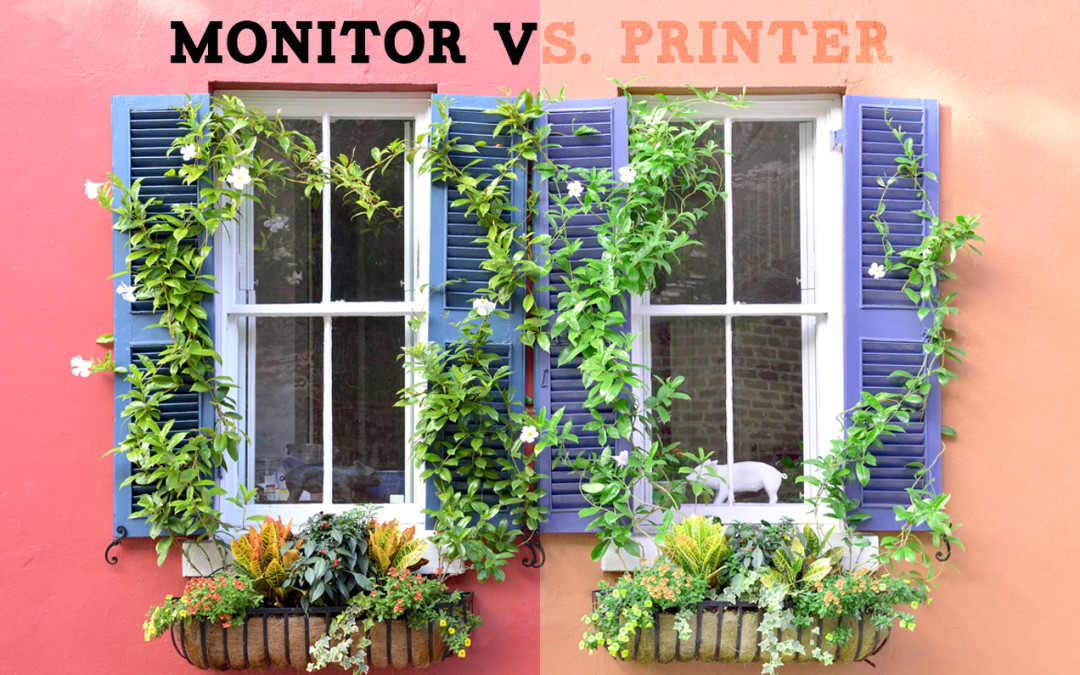
Reflected Color (Ink): Think about a colorful magazine page or a printed photo. The colors you see are actually a result of reflected light. Here’s how it works: light shines onto the surface, and the ink absorbs certain wavelengths while reflecting others back to your eyes. For example, red ink absorbs all other colors and reflects red. This process is known as subtractive color mixing, where starting with white light and adding color leads to darker tones. The primary colors for printing are Cyan, Magenta, Yellow, and Black (CMYK).
- If you print an image of the sky, the ink will absorb all colors except blue, which gets reflected back, making the sky look blue.
-
Projected Color (Screens): Now, think about watching a video on your phone or working on your computer. In this case, the colors are created by projected light—light that is emitted directly from the screen into your eyes. Screens use additive color mixing, meaning colors are created by combining different amounts of red, green, and blue light (RGB). When these three colors are combined at full strength, you get white light.
- On a screen, the color blue is created by turning on the blue light while keeping the red and green lights off. Simple, right?
How Color is Represented in Digital Images
In the digital world, colors are stored in pixels, and each pixel is assigned a value that represents a specific color. There are two main ways this happens:
-
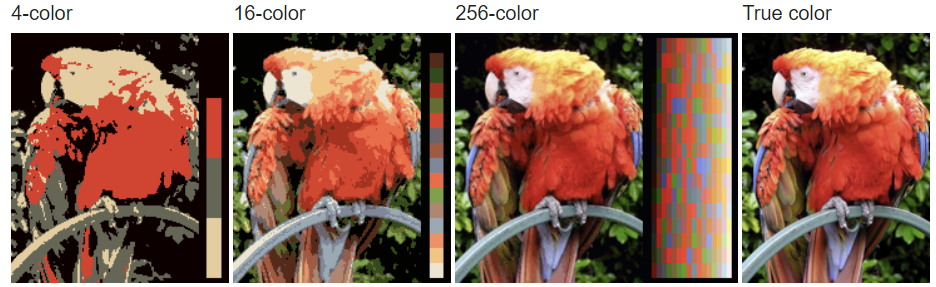
Indexed Color: This method is used when the image only needs a limited number of colors, like 256 or fewer. Instead of each pixel holding its own RGB value, the image refers to a color palette, and each pixel points to a specific color in that palette. This keeps file sizes small and is great for simpler graphics.
- A GIF image uses indexed color. The file includes a palette of 256 shades, and each pixel refers to a color in that palette, making it an efficient format for simple images or animations.
-
24-bit Color: Most of the images you see on your phone or computer use 24-bit color, which means each pixel is made up of three 8-bit values—one for red, one for green, and one for blue. This gives us 16.7 million possible colors, allowing for smooth gradients and realistic-looking photos.
- A high-resolution JPEG photo uses 24-bit color, allowing it to display subtle differences in shades—perfect for detailed, lifelike images.
In Short…
The way we see color depends on how it’s presented to us. With ink, the color we see is based on what light is reflected back to our eyes, while screens emit color directly through light. And when it comes to digital images, color can either be limited (as in indexed color) or almost limitless (like in 24-bit color). Understanding these differences can give you a better appreciation of the colorful world we live in, whether it’s on paper or on screen!